SQL for Data Engineers, Complete Roadmap from Basics to Advanced
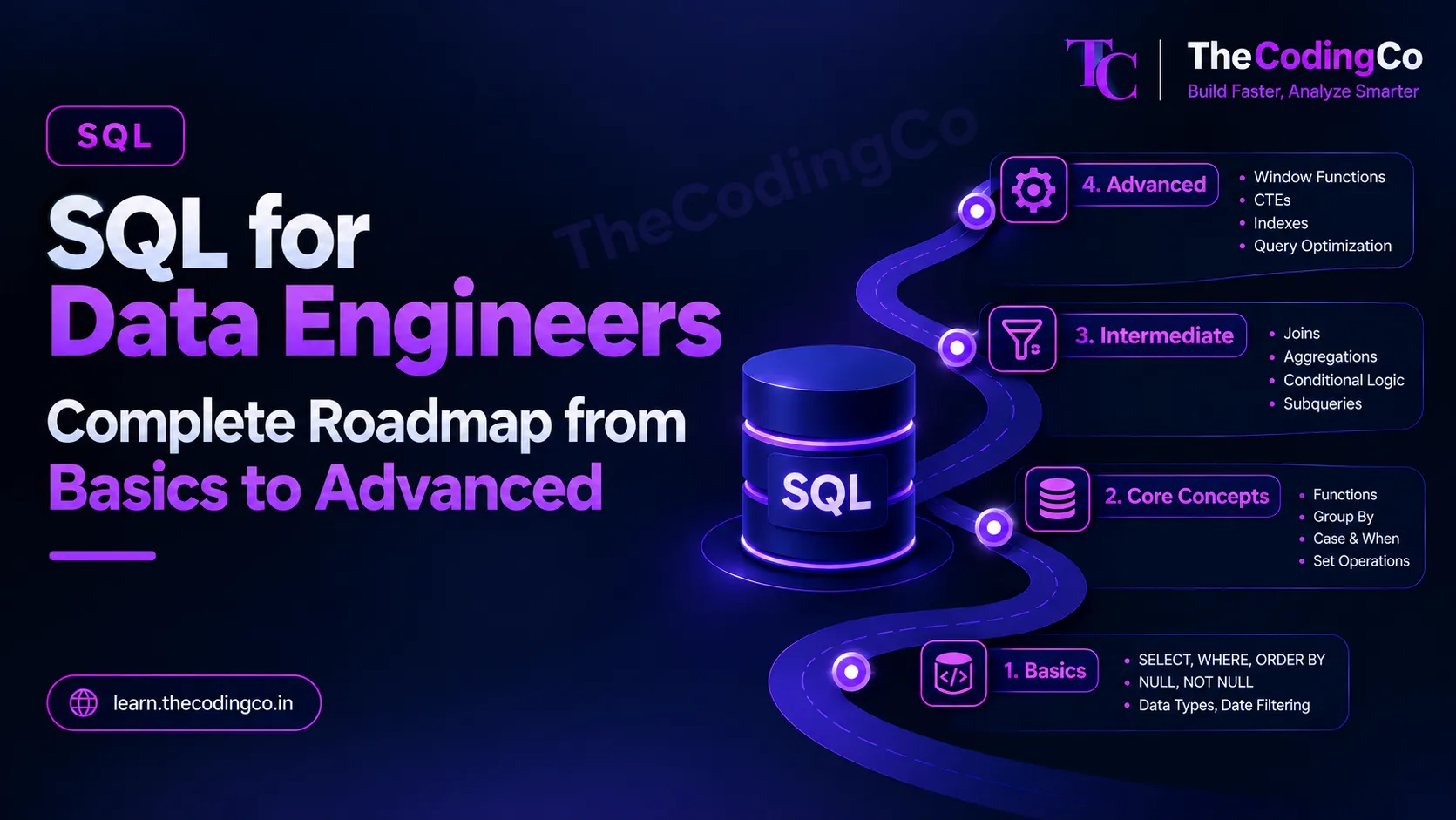
A proper syllabus for SQL specifically from a data engineering angle, covering exactly what to learn, in what order, and where each piece actually shows up in real pipeline work, not just the syntax.
Why this is not just another SQL tutorial
Most SQL content out there is written for someone learning to query a database for the first time, which is fine, but it does not tell you which parts actually matter once you are building pipelines, cleaning data, and getting asked pointed questions in a data engineering interview. This post is written specifically from that angle. Every section below tells you what to learn, and just as importantly, where you would actually reach for it in real work, so it sticks rather than feeling like disconnected syntax.
A quick note before starting. Most examples here lean toward SQL Server, since that is what a large number of Azure data engineering roles actually run on day to day, but this is written so it genuinely helps you regardless of your background. If you are coming from MySQL, Oracle, or PostgreSQL, or working on GCP or AWS instead of Azure, I have called out the meaningful dialect differences as we go, so you are not left guessing how something translates.
Each stage below also ends with a quick reference list of the exact keywords and functions covered, so if you already know a topic, you can glance at the list and move on straight away.
Stage 1: The Real Fundamentals
Start here even if you think you already know this part, since a shocking number of people move past this stage too quickly and it shows up later as shaky basics.
SELECT, WHERE, ORDER BY, and DISTINCT form the actual foundation, filtering rows, sorting results, and removing duplicates. Right alongside this, get properly comfortable with how NULL behaves, since it trips up beginners constantly. NULL is not the same as zero or an empty string, and comparisons against NULL using a plain equals sign simply do not work the way people expect, you genuinely need IS NULL and IS NOT NULL for this. Real scenario, this comes up every single time you are checking whether a source system sent an incomplete record, like an order with no customer_id attached.
Learn TOP in SQL Server for limiting result rows, and know that MySQL and PostgreSQL use LIMIT instead, while Oracle traditionally used ROWNUM and now also supports FETCH FIRST in newer versions. This kind of small dialect difference comes up constantly when you move between environments, so it is worth knowing early rather than being surprised by it.
Also spend real time on basic data types, and specifically how dates and strings are handled, since date filtering, like pulling only yesterday's records for an incremental load, is one of the single most common patterns in actual pipeline work.
Quick reference, stage 1
- SELECT
- WHERE
- ORDER BY
- DISTINCT
- IS NULL
- IS NOT NULL
- TOP (SQL Server)
- LIMIT (MySQL and PostgreSQL)
- ROWNUM and FETCH FIRST (Oracle)
- basic data types
- date filtering for incremental loads
Stage 2: Filtering and Conditional Logic Properly
Once basic filtering feels natural, move into the tools that let you express real business logic inside a query rather than just simple conditions.
CASE WHEN is genuinely one of the most used pieces of SQL in real data engineering work, since it lets you bucket, categorize, or clean values directly inside a query. Real scenario, converting a messy status column with inconsistent values like active, ACTIVE, and A, into one clean standardized value during a Silver layer transformation.
Learn IN and BETWEEN for cleaner filtering against multiple values or ranges, and LIKE along with wildcard patterns for basic text matching. Then learn COALESCE and NULLIF specifically, since COALESCE, which returns the first non null value from a list, is exactly what you reach for constantly when merging data from multiple sources where one source might have a value and another might not. NULLIF is the quieter cousin, useful for avoiding a divide by zero error by turning a zero into a NULL before a division happens.
If you are coming from a different dialect, know that SQL Server uses ISNULL as a simpler two argument version, MySQL uses IFNULL, and Oracle uses NVL, while COALESCE itself works across basically all of them, which is genuinely why it is worth learning as your default habit rather than the dialect specific versions.
Quick reference, stage 2
- CASE WHEN
- IN
- BETWEEN
- LIKE and wildcards
- COALESCE
- NULLIF
- ISNULL (SQL Server)
- IFNULL (MySQL)
- NVL (Oracle)
Stage 3: Aggregation and Grouping
This is where SQL starts answering actual business questions rather than just returning raw rows.
COUNT, SUM, AVG, MIN, and MAX alongside GROUP BY form the backbone of almost every summary table a business ever asks for. Learn HAVING specifically as the filter that runs after grouping, as opposed to WHERE which filters before grouping, since mixing these up is an extremely common early mistake. Real scenario, finding every store whose total daily sales fell below a certain number, which needs HAVING since you are filtering on an aggregated value, not a raw column.
Also get comfortable with GROUP BY on multiple columns at once, and doing multiple aggregations in a single query, since a real Gold layer summary table is rarely built from just one aggregate function.
Quick reference, stage 3
- COUNT
- SUM
- AVG
- MIN
- MAX
- GROUP BY
- HAVING
- WHERE versus HAVING
- GROUP BY on multiple columns
Stage 4: JOINs, Properly, Not Just The Theory
Joins deserve serious focused time, since this is one of the most tested areas in any data engineering interview, and one of the most used patterns in real pipeline code.
Learn inner join first, understanding that it only keeps rows that genuinely match on both sides. Then learn left join, and specifically understand why it is the default choice in most enrichment scenarios, since it keeps every row from your primary dataset while pulling in extra columns where a match exists, without silently dropping anything. Right join is worth knowing conceptually, but in practice most people just rewrite it as a left join with the tables swapped since it reads more naturally.
Full outer join matters specifically for reconciliation work, seeing mismatches from both sides at once, real scenario being a monthly job that compares two systems and flags records that exist in one but not the other.
Cross join deserves a mention too, mainly so you recognize it when you see it, since it produces every possible combination of rows from both sides, and is mostly used deliberately for things like generating a full date and store combination grid rather than as an everyday join.
Self join is worth understanding specifically for hierarchical or comparison data, real scenario being an employee table where you need to match each employee to their own manager, who is also just a row in the same table.
Then learn the semi and anti join patterns, which in standard SQL usually get expressed using EXISTS and NOT EXISTS rather than a dedicated keyword, since not every dialect supports LEFT SEMI and LEFT ANTI directly the way Spark SQL does. A query using WHERE EXISTS, checking whether a matching row exists in another table without pulling in its columns, and WHERE NOT EXISTS, finding rows with no match at all, are genuinely some of the most useful patterns for data quality checks, like finding orphaned foreign keys or duplicate records against a reference table.
Quick reference, stage 4
- INNER JOIN
- LEFT JOIN
- RIGHT JOIN
- FULL OUTER JOIN
- CROSS JOIN
- SELF JOIN
- EXISTS
- NOT EXISTS
Stage 5: Subqueries and CTEs
Subqueries, a query nested inside another query, come up constantly, whether inside a WHERE clause, a FROM clause, or a SELECT list. Learn the difference between a correlated subquery, which references the outer query and runs once per row, and a plain subquery that runs independently, since the performance implications between the two are genuinely significant on large tables.
Common table expressions, written using WITH, deserve real focus, since they make complex, multi step logic dramatically more readable than deeply nested subqueries. Learn recursive CTEs specifically, since they solve a genuinely common problem, hierarchical data like an organization chart or a category tree with unknown depth, that is awkward to solve any other way. Real scenario, building out a full reporting hierarchy from a manager and employee table without knowing in advance how many levels deep it goes.
Quick reference, stage 5
- subquery in WHERE, FROM, and SELECT
- correlated subquery
- CTE using WITH
- recursive CTE
Stage 6: Window Functions, Arguably The Most Important Advanced Topic Here
If there is one section in this entire roadmap worth spending extra time on, it is this one. Window functions show up constantly in real pipeline work and are one of the most commonly tested topics in data engineering interviews specifically.
Start with ROW_NUMBER, RANK, and DENSE_RANK, all used together with OVER and PARTITION BY. Understand the actual difference between them, ROW_NUMBER always gives a unique number even for tied values, RANK leaves a gap after ties, and DENSE_RANK does not. Real scenario, ROW_NUMBER is exactly what you use to deduplicate a table, partitioning by a natural key and ordering by a timestamp, then keeping only the row where the row number equals one, which is one of the single most common deduplication patterns in real Silver layer cleaning.
Then learn LAG and LEAD, which let you look at the previous or next row's value without a self join. Real scenario, comparing a customer's current order amount against their previous order amount directly, or calculating the number of days between consecutive purchases.
Learn running totals and moving calculations using SUM and AVG combined with OVER and an ORDER BY, along with understanding what ROWS BETWEEN actually controls in terms of the calculation window. Real scenario, a running total of sales for each store through the month, or a seven day moving average of daily transactions.
NTILE is worth knowing for bucketing rows into a fixed number of groups, real scenario being splitting customers into quartiles based on total spend for a segmentation report.
Quick reference, stage 6
- ROW_NUMBER
- RANK
- DENSE_RANK
- OVER
- PARTITION BY
- LAG
- LEAD
- SUM OVER and AVG OVER for running totals
- ROWS BETWEEN
- NTILE
Stage 7: Set Operations
UNION and UNION ALL combine results from multiple queries, and the difference matters, UNION removes duplicates and is slower because of that extra work, while UNION ALL keeps everything and is faster. Real scenario, combining data from two regional tables with an identical structure, where UNION ALL is almost always the right choice unless you specifically expect and want duplicate removal.
INTERSECT and EXCEPT, called MINUS in Oracle, are less commonly used day to day but genuinely useful for comparison and validation work, like checking which customer IDs exist in one table but not another, similar in spirit to what NOT EXISTS does, just expressed differently.
Quick reference, stage 7
- UNION
- UNION ALL
- INTERSECT
- EXCEPT
- MINUS (Oracle)
Stage 8: Modifying Data Properly
INSERT, UPDATE, and DELETE are the basics, but the real skill here is MERGE, sometimes called UPSERT in other dialects, which lets you insert new rows and update existing ones in a single statement based on a matching condition. This is genuinely one of the most important patterns in real data engineering work, since it is exactly how incremental loads and slowly changing dimensions get implemented in practice, matching incoming records against an existing table and deciding row by row whether to insert or update.
Note here, MySQL does not have MERGE in the same form and instead uses INSERT with ON DUPLICATE KEY UPDATE for similar behavior, while PostgreSQL uses INSERT with ON CONFLICT, so if you are coming from either of these, know that the underlying concept is identical even though the exact syntax looks different from SQL Server or Delta Lake's MERGE INTO.
Quick reference, stage 8
- INSERT
- UPDATE
- DELETE
- MERGE and UPSERT concept
- INSERT with ON DUPLICATE KEY UPDATE (MySQL)
- INSERT with ON CONFLICT (PostgreSQL)
- MERGE INTO (Delta Lake)
Stage 9: Indexing and Query Performance Basics
This stage is what separates someone who can write a correct query from someone who can write a query that will not fall over on real data volumes, and it is genuinely underrated by beginners.
Learn what a clustered index actually is, the physical order data is stored in on disk, and how it differs from a nonclustered index, a separate structure that points back to the actual rows. Understand why having a primary key generally creates a clustered index by default in SQL Server, and why you can only have one clustered index per table but many nonclustered ones.
Learn to actually read a basic execution plan, understanding at minimum the difference between a table scan, reading every single row, and an index seek, jumping directly to the relevant rows using an index. Real scenario, a query that filters on a column with no index on a large table will typically show a full table scan, and adding the right index can turn that same query dramatically faster.
Also understand at a conceptual level why an index helps reads but adds cost to writes, since every insert or update now also needs to update the index itself, which is exactly why you do not just index every single column blindly.
Quick reference, stage 9
- clustered index
- nonclustered index
- primary key and default indexing behavior
- execution plan
- table scan
- index seek
- read versus write cost of indexing
Stage 10: Constraints and Basic Schema Design
Understand primary keys, foreign keys, unique constraints, and default values, not just as syntax but as the rules that keep your data honest. Learn the basic idea behind normalization, structuring data to avoid redundancy, versus denormalization, deliberately duplicating some data for read performance, since real data warehouse design constantly balances between these two ideas rather than picking one absolutely.
This connects directly back to dimensional modeling, fact and dimension tables, star schemas, which is a natural next stage once basic SQL and schema concepts feel solid.
Quick reference, stage 10
- primary key
- foreign key
- unique constraint
- default constraint
- normalization
- denormalization
Stage 11: Views, Stored Procedures, and Functions
Learn views as a way to save a reusable, named query, useful for hiding complexity from downstream users or standardizing a commonly used calculation. Learn the basics of stored procedures, since a lot of legacy pipelines, especially anything migrating from an on premises SQL Server environment, still rely heavily on them for encapsulated transformation logic. User defined functions are worth knowing conceptually too, though in modern cloud pipelines you will often push heavier transformation logic into PySpark instead rather than deeply nested SQL functions.
Quick reference, stage 11
- views
- stored procedures
- user defined functions
Stage 12: Transactions and A Bit Of The Advanced Side
Understand the basic idea of a transaction, a group of operations that either all succeed together or all fail together, using BEGIN TRANSACTION, COMMIT, and ROLLBACK. You do not need to become a deep expert in isolation levels immediately, but knowing roughly what they control, how much one transaction can see of another transaction's in progress changes, is a good sign of real database understanding rather than surface level knowledge.
A few smaller advanced topics worth being aware of as you go further, temporary tables and table variables for intermediate results within a session, the basics of dynamic SQL for building queries programmatically, and JSON handling functions, since SQL Server, PostgreSQL, and MySQL all now support querying JSON columns directly, which comes up more often than people expect when a source system sends semi structured data.
Quick reference, stage 12
- BEGIN TRANSACTION
- COMMIT
- ROLLBACK
- isolation levels
- temporary tables
- table variables
- dynamic SQL
- JSON functions
A note if you are coming from a different database or cloud background
If your background is MySQL, the core concepts here transfer almost completely, the main things to relearn are syntax differences like LIMIT instead of TOP, backticks instead of square brackets for reserved names, and AUTO_INCREMENT instead of IDENTITY.
If your background is Oracle, your fundamentals are typically very strong already, especially around PL SQL and stored procedures, and the main adjustment is getting comfortable with T SQL specific syntax, along with SQL Server's approach to sequences and identity columns instead of Oracle's SEQUENCE objects.
If your background is PostgreSQL, you are usually in a strong position too, since PostgreSQL's SQL is close to standard SQL, and the differences you will hit are mostly around specific function names and how window functions and JSON handling are expressed syntactically.
If you are coming from GCP or AWS rather than Azure, know that BigQuery and Redshift both use SQL dialects that are heavily influenced by standard SQL as well, and almost everything in this roadmap, joins, window functions, CTEs, aggregation, transfers directly, you are mainly just learning a new platform around the same core SQL skill, not relearning SQL itself.
How to actually practice this instead of just reading it
Reading this list will not build the skill on its own. Pick one realistic dataset, something like orders, customers, and products, and deliberately write a query for every single concept above against that same dataset. Then go further, deliberately combine them, a query with a join, a window function, and a CASE WHEN all in the same statement, since that combination is genuinely closer to what a real interview question or a real pipeline transformation actually looks like than any single concept practiced in isolation.
Interview angle
If asked to explain a SQL concept in an interview, always tie it back to a real scenario rather than reciting a definition, exactly like the real scenario callouts throughout this post. Saying something like, I would use ROW_NUMBER partitioned by customer_id and ordered by a timestamp to deduplicate incoming records before loading them into a Silver table, shows a level of practical understanding that a plain definition of what ROW_NUMBER does simply does not. Window functions and MERGE specifically are worth being able to speak about fluently, since they come up across an enormous share of real data engineering interviews, far more than their apparent complexity would suggest.
Quick recap
Start with genuine fundamentals, filtering, sorting, and handling NULL properly, then move through conditional logic, aggregation, and every join type, including the semi and anti patterns expressed through EXISTS and NOT EXISTS. Learn subqueries and CTEs, with recursive CTEs for hierarchical data, then spend real focused time on window functions, since ROW_NUMBER, RANK, LAG, LEAD, and running totals show up constantly in both real pipelines and interviews. Learn MERGE for real incremental load and slowly changing dimension patterns, understand indexing and basic execution plans well enough to reason about query performance, and round it out with schema design basics, views, stored procedures, and a working understanding of transactions. Regardless of whether your background is SQL Server, MySQL, Oracle, or PostgreSQL, the underlying concepts here are the same, only the exact syntax shifts, which means this roadmap genuinely applies no matter where you are starting from.