Lakehouse vs Data Warehouse vs Data Lake Explained

What a data warehouse, a data lake, and a lakehouse actually mean in practice, why one replaced the other over time, and how this plays out on Azure with real examples.
Why this confusion even exists
When I started learning data engineering, these three words felt like they meant the same thing. Warehouse, lake, lakehouse. All of them store data, so what's the big deal?
The thing that finally made it click for me was thinking about it as a timeline. Each one was built because the one before it had a problem that people got tired of dealing with. Once you see it that way, the differences stop feeling like trivia and start making actual sense.
So let's go through them in the order they came up.
Data warehouse
A data warehouse is where you put data after it has already been cleaned up and organized into tables, specifically so people can run reports on it.
Think of your finance team wanting to see monthly revenue by region. That data needs to be structured, accurate, and fast to query. That is exactly what a warehouse is built for.
On Azure, this usually means something like Azure Synapse Dedicated SQL Pool, or in older setups, plain SQL Server.
What makes it good:
- Queries are fast because the data is already structured
- Reports and dashboards work well on top of it
- Data quality tends to be high because everything is cleaned before it goes in
Where it struggles:
- It only wants structured data. Give it a folder of JSON logs or a bunch of images and it has no idea what to do with them
- You need to decide the schema before loading data in, which means changes later are painful
- Storage and compute are usually tied together, so scaling gets expensive fast
This works fine as long as all your data is neat and tabular. The problem started when companies began collecting data that was not neat at all.
Data lake
Once companies started generating huge amounts of clickstream data, app logs, sensor data, images, and all kinds of unstructured stuff, the warehouse model could not keep up. That is where the data lake came in.
A data lake is basically cheap storage where you dump data in whatever form it comes in, and you only figure out the structure later when you actually query it.
On Azure, this is Azure Data Lake Storage Gen2, usually just called ADLS Gen2.
What makes it good:
- It stores anything. CSV, JSON, Parquet, video files, doesn't matter
- Storage is cheap, and compute is separate, so you are not paying for both together
- You do not need to know your schema upfront
Where it struggles:
- There is no built in protection against two processes writing to the same data at the same time and corrupting it
- Since there is no schema being enforced, people just dump data in without much discipline, and over time it turns into what a lot of engineers call a data swamp. Technically everything is there, but nobody trusts it or knows what is usable
- Updating or deleting specific records is not really supported. Most engines just append new files
- Running a normal SQL report directly on top of a data lake is painfully slow compared to a warehouse
So now you have flexibility and low cost, but you lost reliability. That trade off did not sit well with people, which brings us to the lakehouse.
Lakehouse
The lakehouse tries to give you both things at once. Cheap flexible storage like a data lake, but with the reliability and structure of a warehouse.
The way this actually works on Azure is by using Azure Databricks along with Delta Lake, which is a storage format that sits on top of your ADLS Gen2 files and adds a transaction layer to them. That transaction layer is what gives you things a plain data lake never had, like safe concurrent writes, and the ability to update or delete specific rows.
What makes it good:
- Same storage as a data lake, so it is cheap and can hold any data type
- Supports proper updates, deletes, and merge operations, which a raw data lake cannot do
- Handles concurrent read and write operations safely
- One copy of data can serve both your BI reports and your machine learning workloads, so you are not duplicating data across two systems
This is why most Azure setups I have seen recently are built around Databricks with Delta Lake, often organized using something called the Medallion Architecture, where data moves through Bronze, Silver, and Gold layers as it gets progressively cleaner.
Comparing them side by side
| What matters | Warehouse | Data lake | Lakehouse |
|---|---|---|---|
| Structured data | yes | yes | yes |
| Unstructured data | no | yes | yes |
| Safe concurrent writes | yes | no | yes |
| Flexible schema | no | yes | yes |
| Cheap storage | no | yes | yes |
| Fast for reporting | yes | no | yes |
| Good for machine learning | no | yes | yes |
| Update or delete records | yes | no | yes |
A small example to make it concrete
Say a customer's address changes and you need to update it. Here is how that plays out in each setup, using Azure tools.
In a warehouse, using Synapse SQL, it is a plain update statement.
UPDATE dim_customer
SET address = '221B Baker Street'
WHERE customer_id = 1001;
Nothing surprising there, this is what warehouses are built for.
In a plain data lake, sitting on ADLS Gen2 with just Parquet files and no Delta layer, there is no real update command. You end up doing something like this instead.
df = spark.read.parquet("abfss://raw@mydatalake.dfs.core.windows.net/customers/")
df_updated = df.filter(df.customer_id != 1001)
# you would then need to append the corrected row separately
# and overwrite the whole folder, which is risky if another job
# is reading from it at the same time
df_updated.write.mode("overwrite").parquet("abfss://raw@mydatalake.dfs.core.windows.net/customers/")
It works, but it is clunky, and if something else is reading that folder while you are overwriting it, you can end up with a mess.
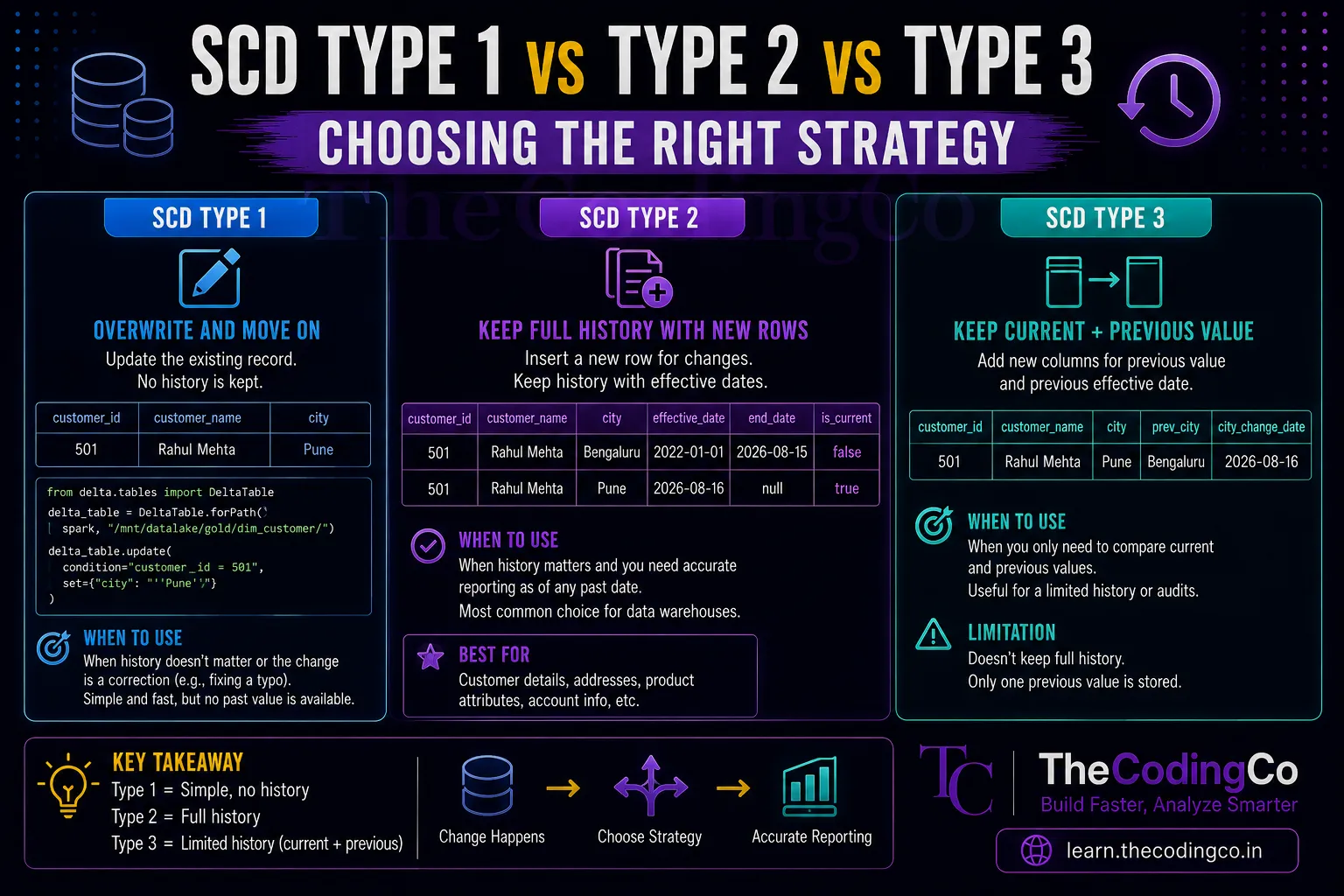
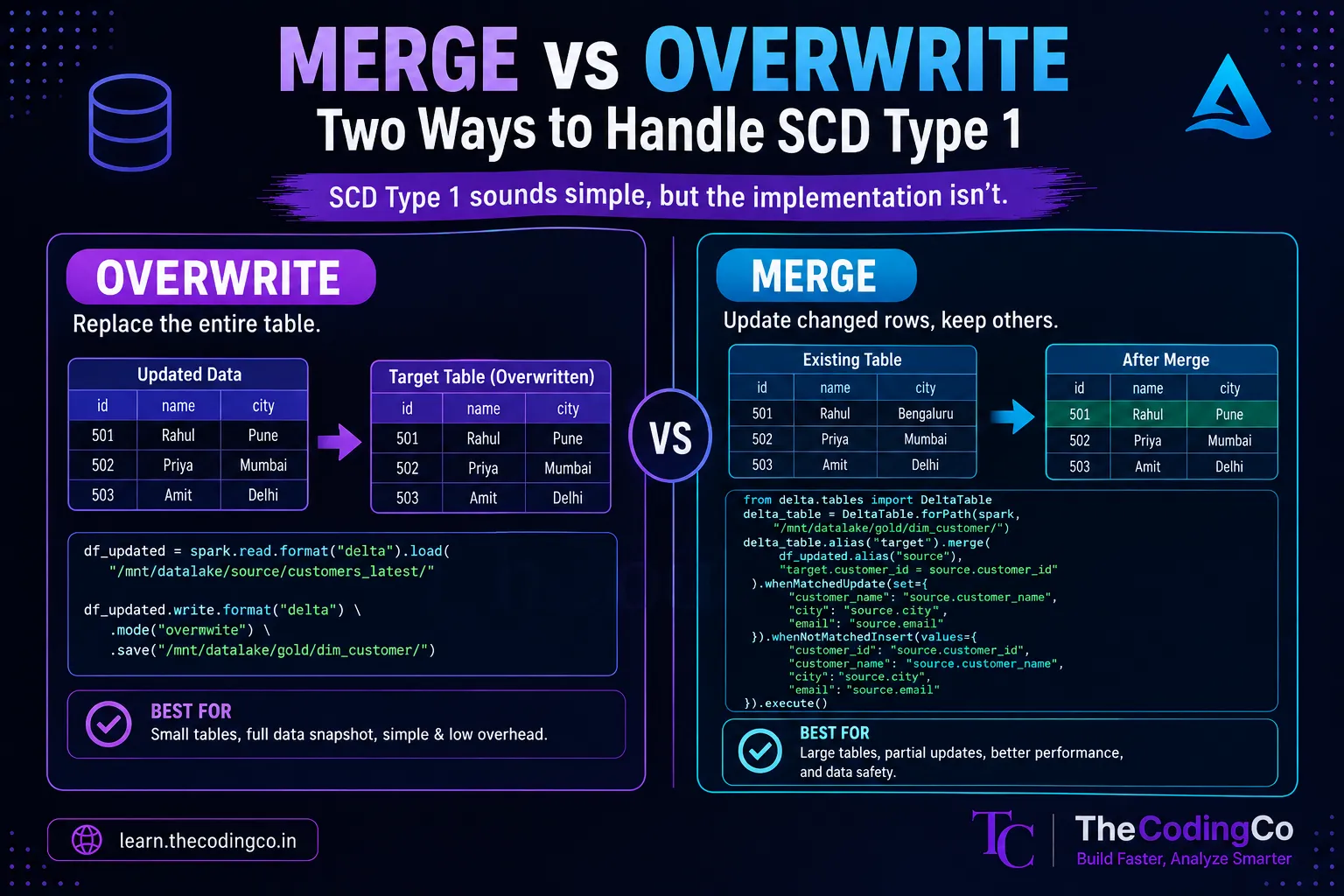
In a lakehouse setup, using Delta Lake on top of the same ADLS Gen2 storage through Azure Databricks, updating a record looks almost like SQL again.
from delta.tables import DeltaTable

delta_table = DeltaTable.forPath(spark, "abfss://lakehouse@mydatalake.dfs.core.windows.net/customers_delta/")

delta_table.update(
    condition="customer_id = 1001",
    set={"address": "'221B Baker Street'"}
)
Same convenience as a warehouse, but the data is still sitting cheaply in ADLS Gen2 the whole time.
How I would answer this in an interview
If someone asks you to explain the difference between these three, do not just list definitions. Walk through it like a story.
Start with why the warehouse exists, mention that it only works for structured data, then explain what pushed people toward the data lake, and then explain what problem the data lake created that the lakehouse eventually solved. Bring up the ACID transaction part specifically, because that is usually the detail that separates people who memorized the definitions from people who actually understand it.
If they ask which one you would use for a new Azure project, it is fine to say it depends on the situation, but for most modern setups that need to support both reporting and machine learning without keeping two separate copies of data, the lakehouse model built on Databricks and Delta Lake is usually the practical choice today.
Quick recap
A data warehouse wants clean structured data and gives you speed and reliability in return, but it is rigid and expensive to scale. A data lake accepts anything and is cheap, but gives up reliability and structure. A lakehouse tries to keep the flexibility of a data lake while bringing back the reliability of a warehouse, using a transactional layer like Delta Lake on top of storage like ADLS Gen2.
This is one of those questions that comes up in almost every data engineering interview in some form, so it is worth being able to explain it in your own words rather than repeating a textbook definition.